

The “All in One” WordPress Business Plugin
Extend your WordPress website with powerful Client / Customer Portal Plugin functionality. Easily create unlimited Client Portals, enable Client File Upload Areas, generate Estimates & Invoices that your Clients can pay online, and much, much more!
Easily used by “techy”










A Complete WordPress Client Portal Solution
Not only do you get the Client Portal LOGIN Plugin WordPress Plugin, but you also receive access to an amazing array of features that allow you to selectively expand the functionalities that you require. Start a 14-Day Free Trial > No credit card required!
Easy Integration
Designed from the ground up to integrate into your existing website. SuiteDash lets you embed forms, integrate landing pages, and enable file dropbox functionality.
Highly Customizable
Easily enable or disable functions, control permissions, create templates, customize the design, colors, layouts, logins, emails & more…
Private & Secure
A private portal & login are created for each client automatically, and all components & files are only accessible by you & your client(s).
Estimates & Invoicing
Create customized & branded Estimates & Invoices that can be viewed/paid online, or send via email attached as a PDF.
File Sharing
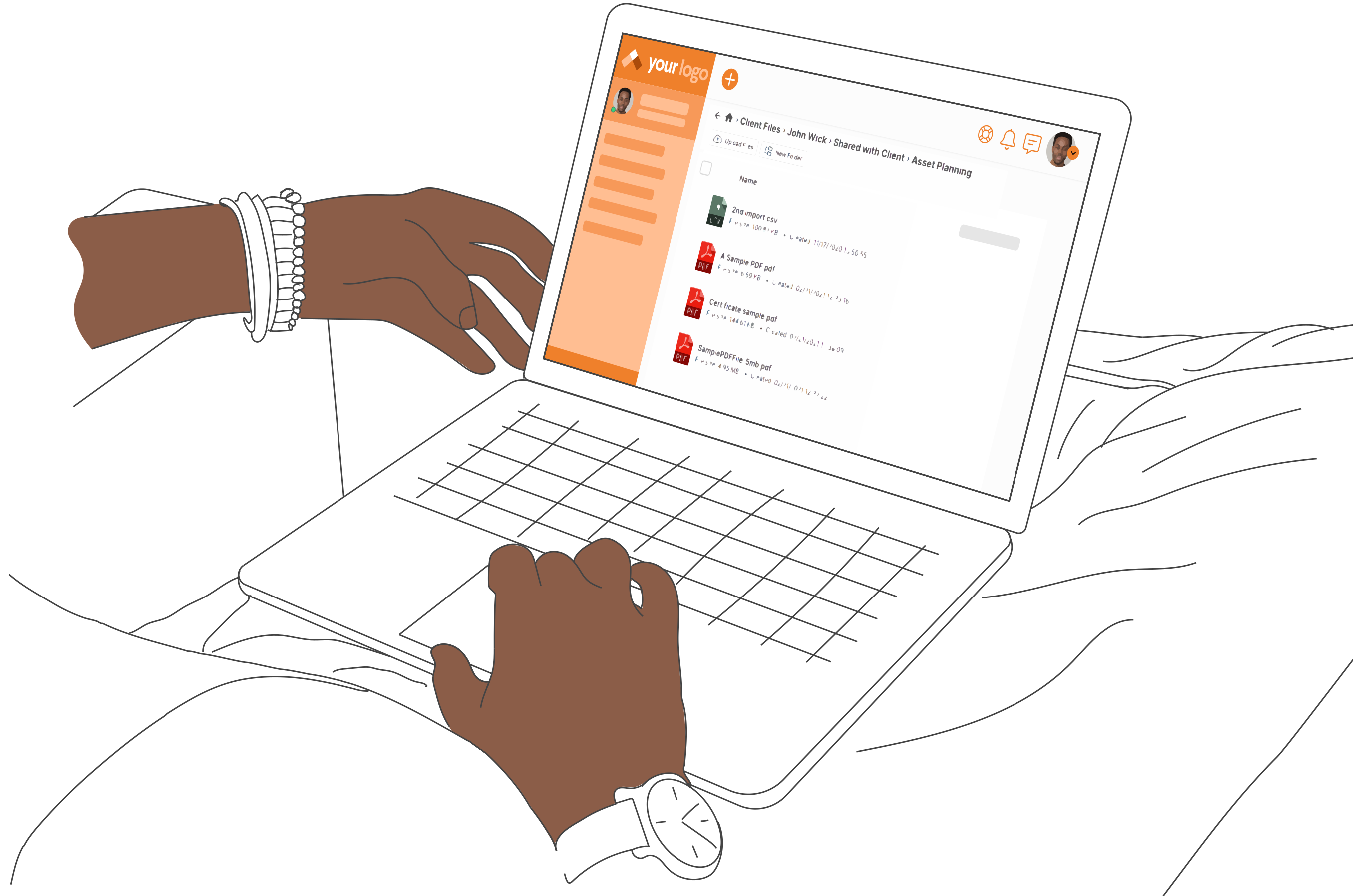
Advanced file sharing > Client file upload, Client file download, File categories & filters, remote file storage & more…
Digital Signing
Dynamically create Documents with dynamic data, and automatically send to your Prospects or Clients for eSigning.
No-Code Automations
Everything starts with the Onboarding! Kickoff any number of automations, sort your Clients into logical groups & customize their experiences based on the paths they choose.
Private Messaging
Private messages with clients from client portal are emailed to the proper contact. A chained record of messages is kept for clarity.
WordPress Client Portal
14 Day Free Trial – No Credit Card
Test drive the #1 Client Portal + All-in-One Business Software for 14 days with no risk!

WordPress Client Login Area, Portals, File Sharing, and more!
- When you add a client, you create a private client login and that client’s username/password, along with the login link are emailed directly to the client.
- The client logs in via a Custom URL login page that you can customize with your logo & colors. Or, you can use the plugin to setup a seamless login directly from your WordPress website. Place the link anywhere on your site, and the client will be logged directly into the portal.
- Upon login, the client is taken to their own personalized Start Page, where you are able to configure options like:
- Navigate to all the private pages that exist in their portal. These Portal Pages are where most of the web-like content of the Portal should be housed.
- Client can easily download files that have been uploaded and assigned to them by the Admin, or their Coordinator.
- Admin & Staff can upload files for the Client > Client can easily navigate unlimited folder/sub-folder structure to access files in a very organized way
- Send/Receive Private Messages to/from – Email notifications are triggered when PMs are sent.
- Clients can view/edit their profile information on the front end (optional) – All of this happens securely and uniquely for each Client.
- Clients can change/reset their password on the front end – or use the “Magic Login” to avoid completely the need for passwords
- Prepare Portal Pages that are flexible depending on who is viewing. This exciting addition essentially gives you the ultimate flexibility to create separate Start Pages and Portal Pages based on who is logged in, and what Circle they are associated with. There are many creative & powerful ways to use this capability.
- Create a variety of custom Custom Dashboards and assign them to specific Client(s) or Circle(s) depending on your needs. This feature gives you the power and flexibility to ‘Pre-Create’ your user’s experience. Then, when adding Users, you decide what they will see by assigning them to the correct Circle.
- Powerful Dashboard Widgets let you customize exactly what your Prospects & Clients will see in the portal.

Manually Add Clients, Convert Existing Users, Import your Client Base or Allow Clients to Register Themselves
- Manually create Clients by completing just a few data fields.
- Import your Client Base, and each one’s Start Page & available Portal Pages are instantly assigned according to your preferences.
- Custom fields lets you completely control what type of data you can record for each client, enabling you to collect information that is applicable to your business. Need to know your Client’s VAT number, Industry Parts Code, Pet’s Name, Favorite Color, or some other info that’s proprietary in your business? No problem!
- Gather your clients into Circles, and then use those associations to easily assign permissions to files & Portal Pages for a wide range of clients with one simple step. Each individual resource can be customized to be accessible by entire circles, or only select clients/members. It’s all up to you!
- Optionally enable a Client Registration page, and permit users to register themselves by completing the customizable form. You have the option of manually approving each Client or setting the process to Auto-Approve so that they can instantly access the Portal
- You can optionally configure the registration process to require payment before the user can access their Private Portal. User simply fills out your customized registration form, and is then give a choice of payment gateways. Payment is verified before granting access to that user.
- Upon approval, whether manually, by auto-approve, or by automated approval of payment, the Start Page, Portal Pages and all other resources for that new Client are automatically assigned according to the configuration you set, and the Portal Invitation email is sent. Now, you can use the templates to ‘pre-build’ the Portals, and then as Clients are created, those Portals are instantly created according to your preferences.
- You may not call your target users Clients, and you may not use the term Prospects. No problem! You can replace the words Client, Circle, Prospect and/or Staff with titles that more closely fit your needs for the plugin ( Ex. Teachers, Employees, Students, Agents, etc… )
- The Project Manager & Office Manager role allows you to give the management of entire areas of functionality to your staff without granting full Admin rights. That person will only be able to see/manage their particular areas of functionality.
- Built-in Email Verification feature lets you restrict Client access to their Portal until they have clicked the verification link in the auto-generated registration email.
- Terms & Conditions Option lets you require users to agree to your legal requirements before accessing their Portal.

Advanced File Sharing Component > Client File Upload & Download
- You can easily upload files of all types, then organize into folders, assign permissions and configure for download all within one operation.
- Extreme flexibility that lets you assign permissions for each file to just one Client, several Clients, many Clients or every Client.
- BYPASS typical difficulties with uploading large files using our uberLOADER which enables ‘file chunking’ and has been shown to upload files of over 10 GB in size.
- Shared Folders give you the power to share entire folder structures with more than one Client by individual assignment, or by Circle affiliation.
- Grouping your Clients into logical Circles gives you to the power to assign permissions for a file to every member of that Circle with just one click, thus saving you invaluable time and effort.
- Clients can upload files to you, triggering an alert email to be sent to your choice of recipients. You then have the option to share that file with other Clients if that is appropriate. Files that the Client uploads are also visible and available to the Client.

Estimates & Invoicing Feature > Bill Clients & Customers and Let Them Pay Online
- Full featured Estimates & Invoicing feature, complete with ability to Pay Online using your choice of available gateways.
- Create one-time Invoices or create Recurring Invoice Generators which auto-generate a new invoice according to your preferences. Every week, every month, or however you decide!
- Accumulating Invoice feature lets your create an “accumulating area” for timers or other invoice items that you can add as you go along, and then the system will auto-generate an invoice on the time schedule you designate. After that invoice is generated, the total is reset to zero so you can continue adding items. Those next items will appear on the next auto-generated invoice, and so on…
- Pre-create often used billable items to help you quickly create Estimates & Invoices that contain frequently used/repeated items.
- Create an Estimate for the work. When approved, convert to an Invoice and email to client(s) in one click.
- Your clients are already part of the system. It’s only natural and efficient that you generate the Estimates & Invoices for them and display them securely in their Client Portal
- You can easily send the Estimates & Invoices attached as a PDF to an email – all emails are fully customizable
- You can create one Estimate/Invoice and assign to multiple clients. When you click the “Create” trigger, a unique duplicate Estimate/Invoice is created for each individual Client so that each has a unique Invoice to pay. Powerful and efficient mass creation of Estimates/Invoices.
- Estimate & Invoice templates are fully customizable with your logo and layout of your preference.
- Flexible to fit your needs – supports Taxes & Discounts
- Supports Partial Payments so that your Clients can pay a bit at a time. You can also set a minimum amount for partial payments.
- Supports multiple currencies

Project Feedback Component > Professional Project Feedback
- A full-featured Project Management component designed to allow seamless collaboration among you, your Staff and the Client(s) as needed.
- Projects contain a dedicated File Management area that can be accessed both by your Staff and by the Client(s)
- Team Talk & Client Talk become central & private conversation threads that are unique and siloed inside the Project, and are therefore only available to those that are invited and included in the Project.
- The Project Dashboard is a unique, professional, secure & efficient method whereby the Admin & Staff can easily present to a client a simple and easy to follow process that allows them to provide formalized and focused feedback.
- Auto-Generate Projects using automations, or set the Project to automatically recur on a schedule that you configure
- Task Templates give you the power to pre-build a repeatable set of Tasks & Phases that you can use over and over again without needing to start from scratch every time.

A Wide Range of Features Designed to Give You a Professional Client Management Solution
- All components, including Portal Pages & emails are 100% customizable to help you match your company’s brand and image. Your Client’s will feel they are being catered to in a professional and secure way, and your brand will be reinforced throughout.
- Client Login Alerts send the recipients of your choice a notification when a Client either successfully completes their registration in the Portal thus giving you the heads up that either your Clients are successfully accessing their Portals. In the case they’re having trouble, you’ll look like Johnny-on-the-spot when you contact them to offer help. They will wonder how you knew they were having trouble, and be impressed by the high level of Client support.
14 Day Free Trial – No Credit Card
Test drive the #1 Client Portal + All-in-One Business Software for 14 days with no risk!
Authentic Testimonials from Actual Customers – No Fluff, No B.S.
I love using SuiteDash. It allows me to automatically onboard my clients using automation. For a long time, I have been using email service software and I have been able to replace the software for my bookkeeping firm because SuiteDash allows me to acquire leads.

I love the fact that it creates a great customer interface — through multiple channels — email, customer portal, and messaging. I really like that you can brand your own customer portal fairly easily. Within a day of set up, I had a portal, on my own domain. In the same day, I set up their progressive web app for mobile as well.

I really like how it is an all-in-one platform that can handle many of the tasks that you would normally need separate tools to do the same job. The CRM is really handy for managing my contacts all in one place as well as being able to manage the contacts projects and tasks all in the same dashboard.
I love being able to have one hub for taking care of planning, scheduling, communicating, billing, marketing, etc., instead of several disparate solutions that don’t ‘talk’ to each other. With SuiteDash, I spend less time managing and more time doing.
We initially chose Suite Dash to use for a customer portal on our online design service simply because it was the only software available to meet all of our needs. We wanted something that could be white labeled, the customer could sign themselves up, we would have an internal messaging system to eliminate e-mails outside their portal.
I love being able to have one hub for taking care of planning, scheduling, communicating, billing, marketing, etc., instead of several disparate solutions that don’t ‘talk’ to each other. With SuiteDash, I spend less time managing and more time doing.
All that AND a bag of chips. I was immediately hooked! It’s one package that takes the Prospect all the way through to the end when you’re going to move them to a Client. All Inclusive! You can communicate with that individual or business from the very start all the way through the entire flow, and you’ve got a ping on them the entire way!
14 Day Free Trial – No Credit Card
Test drive the #1 Client Portal + All-in-One Business Software for 14 days with no risk!